
close
Choose Your Site
Global
Social Media
Views: 0 Author: Site Editor Publish Time: 2025-11-07 Origin: Site
Modern devices need compact PCBs. 4-layer PCB design balances cost and performance. It improves signal integrity and reduces EMI. In this guide, you will learn stackup tips, layout strategies, and manufacturing best practices. By reading, you'll design reliable, high-speed PCBs.
A 4 layer PCB consists of four conductive copper layers separated by dielectric materials. The two outer layers are used for signal routing and component placement, while the two inner layers typically serve as power and ground planes. This structure helps create a controlled electromagnetic environment, improving circuit performance and reducing interference.
Unlike 2-layer PCBs, the 4-layer design enhances signal integrity, reduces electromagnetic interference (EMI), and improves noise isolation. It provides designers with more routing flexibility, allowing for denser circuits without compromising performance. This configuration also supports better current distribution, essential in power electronics or high-speed digital systems.
4-layer PCBs are widely used in industrial control systems, automotive electronics, IoT modules, and embedded systems. They also power communication devices, consumer electronics, and aerospace instruments that demand high reliability and compact design.
Note: The 4 layer PCB layout guide is especially valuable for engineers dealing with high-speed differential signals or complex mixed-signal circuits.
Stackup planning is one of the most critical aspects of 4 layer PCB design. The way copper layers and dielectric materials are arranged determines signal flow, impedance control, and electromagnetic compatibility. A properly planned PCB stackup minimizes signal distortion, ensures impedance consistency, and helps maintain thermal balance.
Engineers typically use several configurations based on performance and application needs.
Configuration | Layer Order | Advantages |
Signal – Ground – Power – Signal | Common in high-speed digital systems | Excellent signal integrity, reduced EMI |
Signal – Signal – Ground – Power | Used for mixed-signal boards | Enhanced routing flexibility |
Signal – Ground – Ground – Power | Preferred in high-current systems | Strong grounding, better thermal management |
Each configuration serves different design priorities such as noise suppression, current handling, or routing density.
Selecting the ideal 4 layer PCB stackup design depends on multiple factors like circuit density, frequency range, and noise sensitivity. Designers must consider the balance between signal and plane layers to achieve consistent impedance and efficient power delivery.
Dedicated ground and power planes form the backbone of signal integrity. A continuous ground plane minimizes return path noise, while well-distributed power planes prevent voltage drops. Proper plane management also aids thermal performance by dissipating heat evenly.
Effective component placement is crucial for maintaining signal quality. Place high-speed components near connectors and critical paths to minimize trace length and delay. Group analog, digital, and power components separately to avoid interference. Symmetry and balance are key in preventing mechanical stress and heat concentration.
Routing defines how signals travel between components. Keep high-speed traces as short and direct as possible. Avoid sharp 90° angles since they can cause reflections. Maintain consistent impedance paths for differential pairs and critical nets.
Use wide copper traces or dedicated internal planes to manage high current flow efficiently. Short and thick traces minimize voltage drops, while decoupling capacitors placed near power pins stabilize the supply.
Heat buildup can reduce PCB lifespan. Distribute heat evenly using thermal vias, thicker copper layers, or embedded heat sinks. Simulation tools can help identify hot spots early in the design phase.
Thermal Design Method | Description | Benefit |
Thermal Vias | Conduct heat between layers | Improves dissipation |
Copper Thicker Than 1oz | Handles higher current | Reduces resistance |
Component Spacing | Avoids heat concentration | Enhances cooling |
Maintaining clean and stable signal transmission is essential in any 4 layer PCB layout guide, especially for high-speed or mixed-signal circuits. Poor signal integrity can result in data corruption, timing jitter, and electromagnetic interference, all of which compromise system reliability. Designers must focus on impedance matching, consistent trace geometry, and optimized return paths. Proper grounding strategy, controlled signal transition times, and balanced routing ensure minimal signal distortion and noise coupling throughout the PCB.
Impedance control is fundamental to ensuring consistent signal behavior across traces, especially for differential or high-frequency signals. Designers must calculate and adjust trace width, spacing, dielectric thickness, and material properties to achieve the target impedance—commonly 50 Ω for single-ended and 90 Ω for differential pairs. Simulation tools and field solvers validate impedance before fabrication, allowing engineers to anticipate discontinuities. Consistency in stackup and layer alignment also prevents unwanted reflections and maintains timing accuracy in digital communication channels.
Electromagnetic interference (EMI) can severely affect circuit stability and even cause regulatory test failures. To minimize EMI, maintain uninterrupted ground planes to provide low-impedance return paths and reduce current loops. Limit layer transitions, as vias can create parasitic inductance and radiating points. Isolate noisy power circuits from sensitive analog sections and apply filtering capacitors strategically. Shielding critical areas or adding guard traces further helps reduce emissions. Combining proper PCB layout with ferrite beads and transient suppression ensures compliance with EMI standards.
Crosstalk occurs when electromagnetic fields from one trace induce noise in an adjacent signal, which can distort logic levels and timing. To minimize this effect, route differential pairs orthogonally between layers and maintain a minimum spacing according to the 3W rule—at least three times the trace width apart. Avoid running parallel high-speed traces over long distances or across split ground planes. Proper layer sequencing and termination techniques further reduce signal coupling. Controlled impedance and consistent layer
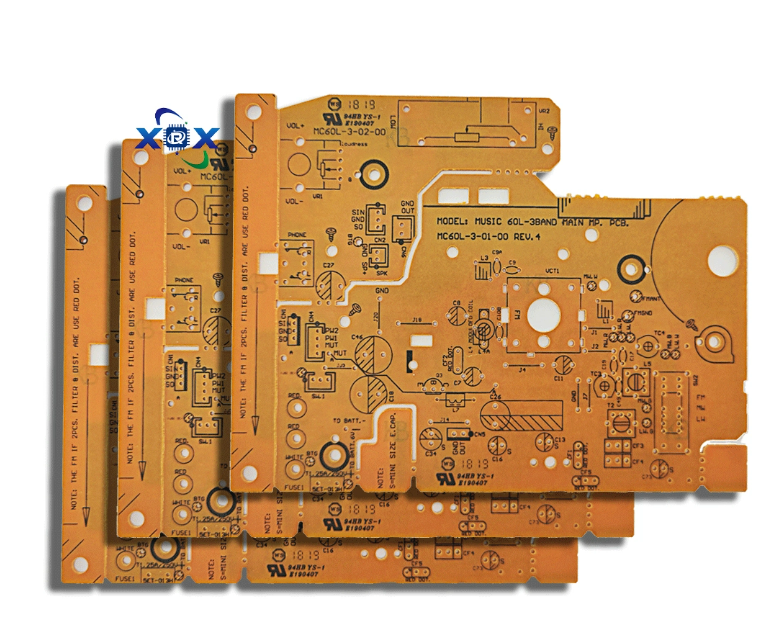
The most common dielectric material for 4-layer PCBs is FR-4, prized for its mechanical strength, durability, and cost efficiency. However, for high-speed or RF designs, advanced substrates like Rogers, Taconic, or polyimide laminates offer superior dielectric consistency and lower signal loss. When selecting materials, engineers should consider factors such as dielectric constant (Dk), dissipation factor (Df), and thermal reliability. The right material choice ensures long-term electrical stability under variable temperature and humidity conditions, especially in automotive or industrial environments.
A standard 4-layer PCB thickness is approximately 1.6 mm, which provides a strong balance between rigidity, heat dissipation, and manufacturability. However, thinner boards around 0.8 mm are often preferred for compact devices like wearables or IoT modules, while thicker boards up to 2.0 mm are used for high-current or automotive applications. The total thickness depends on the dielectric layers, copper weight, and mechanical core. Consistent thickness control ensures stable impedance and reliable lamination during mass production.
Copper thickness typically ranges between 1 oz (35 µm) and 2 oz (70 µm), depending on the current-carrying requirements and thermal constraints. Thicker copper layers improve current capacity and heat dissipation but can complicate fine-pitch routing. Dielectric layers, usually between 0.1 mm and 0.3 mm, maintain insulation and impedance control. The core layer, generally 0.8 mm thick, provides mechanical rigidity and dimensional stability. Choosing the right balance of copper and dielectric thickness is critical for consistent signal performance and manufacturability.
Layer Type | Typical Thickness | Function |
Signal Layers | 35 µm – 70 µm | Routing and electrical interconnections |
Dielectric | 0.1 mm – 0.3 mm | Electrical insulation and impedance control |
Core | 0.8 mm | Mechanical stability and thermal balance |
Material selection directly affects both electrical behavior and physical durability. A balanced stackup minimizes warping, delamination, and coefficient-of-expansion mismatches during soldering or reflow. High-Tg (glass transition temperature) materials provide better mechanical integrity and thermal endurance under continuous operation. For designs used in harsh environments or high-current systems, low thermal expansion and high-thermal-conductivity materials help maintain performance and structural integrity over time.
Optimizing a 4 layer PCB layout for manufacturability ensures a smooth transition from design to production. Simplify trace routing, maintain consistent line widths, and follow standard design clearances to minimize fabrication risk. DFM practices include verifying annular rings, solder mask clearance, and drill tolerances. Collaborating with the PCB fabricator early in the design phase ensures that stackup and material selections meet both cost and capability constraints, avoiding last-minute design revisions.
Vias are essential for interlayer connectivity, but excessive or improperly placed vias can degrade signal quality and complicate manufacturing. Designers must select appropriate via types—through-hole, blind, or buried—based on routing density and cost. Ensure adequate annular rings, avoid vias on fine-pitch pads, and use via-in-pad only when necessary. Placing vias strategically near decoupling capacitors helps maintain low-inductance power delivery, while thermal relief vias improve heat dissipation around power components.
To reduce PCB production costs, standardize board sizes, layer counts, and materials wherever possible. Minimize the use of non-standard drill sizes or complex via structures. Balanced copper distribution not only improves structural integrity but also ensures even lamination, reducing defects. By adhering to manufacturer design limits and tolerances, you can avoid rework, shorten turnaround times, and achieve more predictable yields.
Comprehensive testing is vital before and after fabrication. During the design phase, perform Design Rule Checks (DRC), signal integrity simulations, and thermal analysis to validate the layout. After production, Automated Optical Inspection (AOI) and in-circuit testing (ICT) confirm electrical continuity and detect physical defects. High-reliability designs may also require X-ray inspection for via integrity and solder joint verification. Rigorous testing ensures long-term product reliability and minimizes costly field failures.
Altium Designer offers a professional-grade environment for 4-layer PCB development, combining schematic capture, layout, and simulation tools in one platform. Its Layer Stack Manager simplifies power and ground plane configuration, while impedance calculators ensure accurate trace tuning. Built-in DRC (Design Rule Check) and 3D visualization help identify design conflicts early. Altium’s integration with fabrication outputs allows seamless Gerber and ODB++ file generation for production-ready documentation.
For designers seeking open-source flexibility, KiCad provides a comprehensive yet cost-effective solution. It supports 4-layer stackup configuration, net classes for impedance control, and rule-based routing. Its 3D viewer allows users to visualize copper layers and component placement in real time. KiCad’s growing community and plugin ecosystem make it a practical option for small businesses and educational projects while maintaining compatibility with professional manufacturing workflows.
Before committing to fabrication, designers should perform thorough signal integrity, electromagnetic, and thermal simulations. These analyses identify potential impedance mismatches, noise hotspots, and temperature rise issues under real-world conditions. Using SPICE-based or field solver tools, engineers can refine trace geometry, layer spacing, and grounding. Early simulation shortens development cycles and reduces costly prototype revisions, ensuring first-pass success.
Gerber files are the industry-standard format for PCB manufacturing. Each layer—signal, solder mask, silkscreen, and drill—is defined in individual files to ensure precision. Always cross-check the alignment and polarity of layers before submission. Include detailed fabrication notes, drill charts, and readme files specifying the stackup, material, and copper weight. Properly prepared Gerbers prevent delays and ensure smooth communication between designer and fabricator.
Design Tool | Primary Function | Advantage |
Altium Designer | Professional-grade EDA | Advanced stackup, simulation, and DRC control |
KiCad | Open-source EDA | Free, flexible, and continuously evolving |
OrCAD | Simulation & circuit analysis | Ideal for signal and thermal verification |
Common challenges in 4-layer PCB design include copper imbalance, board warpage, and excessive EMI due to poor layer symmetry or insufficient return paths. Uneven copper distribution can cause thermal and mechanical stress during lamination, while uncontrolled impedance can lead to reflection and timing errors. Conducting early design reviews and simulation-based validation can detect these problems before fabrication, saving time and cost.
Maintaining symmetrical copper distribution across layers is crucial for mechanical and thermal balance. Imbalanced copper causes bending and warpage during lamination or reflow. Use dummy copper fills or ground pour stitching to equalize copper density. This practice not only enhances planarity but also improves thermal performance and grounding continuity. A symmetrical layout ensures long-term reliability and prevents delamination under thermal stress.
At high frequencies, signal losses and reflections become more pronounced. To maintain integrity, designers should keep trace lengths short, control impedance precisely, and avoid unnecessary via transitions. Use differential pair routing for clock and data lines, and minimize stubs or impedance discontinuities. Proper termination resistors and controlled rise times further reduce ringing and distortion, ensuring clean signal transmission in GHz-level designs.
A 4-layer PCB offers excellent balance for most mid-complexity designs, but as circuit density and signal speed increase, adding more layers may become necessary. Moving to a 6-layer or 8-layer stackup provides additional planes for power, ground, or high-speed routing, greatly enhancing isolation and EMI performance. While this raises fabrication costs, the improvement in reliability, noise immunity, and design flexibility often justifies the investment in advanced applications.
A 4-layer PCB ensures reliable performance and efficiency. Mastering stackup, layout, and EMI control is essential. Dongguan Xinrongxing Technology Co., Ltd. delivers high-quality PCBs that enhance signal integrity and thermal stability. Their products provide scalable, robust solutions for diverse electronics applications, supporting innovation with precision.
A: A 4 layer PCB consists of four copper layers separated by dielectric material. It improves signal integrity, reduces EMI, and provides better routing options than 2-layer designs.
A: Using a 4 layer PCB enhances electrical performance and thermal stability. Following 4 layer PCB best practices ensures reliable operation in high-speed or high-density circuits.
A: Begin with defining signal, power, and ground layers. Consider impedance control and EMI reduction. PCB stackup configuration tips help maintain performance and manufacturability.
A: It provides better signal integrity, efficient power distribution, and reduced electromagnetic interference. Designers gain flexibility for complex routing and high-speed applications.
A: Materials like FR-4 or Rogers impact dielectric stability, thermal management, and impedance. Proper selection ensures durability and compliance with 4 layer PCB best practices.
A: Yes. Use continuous ground planes, minimize layer transitions, and route sensitive signals away from noisy traces. These PCB stackup configuration tips reduce interference effectively.
A: 4 layer PCBs are slightly more expensive due to additional layers and complexity. However, the benefits in signal integrity, routing density, and EMI control often justify the cost.
A: Check impedance matching, return paths, and layer symmetry. Following 4 layer PCB layout guide tips, like controlled trace spacing, helps identify and resolve common signal problems.
A: If your design requires complex routing, heavy EMI shielding, or higher isolation, moving to a 6-layer PCB may improve performance. Evaluate using stackup simulations.


